
Support structures in 3D printing — when to use which
A detailed guide through every support type in FDM and SLA printing — grid, snug, tree, organic tree, lightning and zig-zag — and when to choose which.
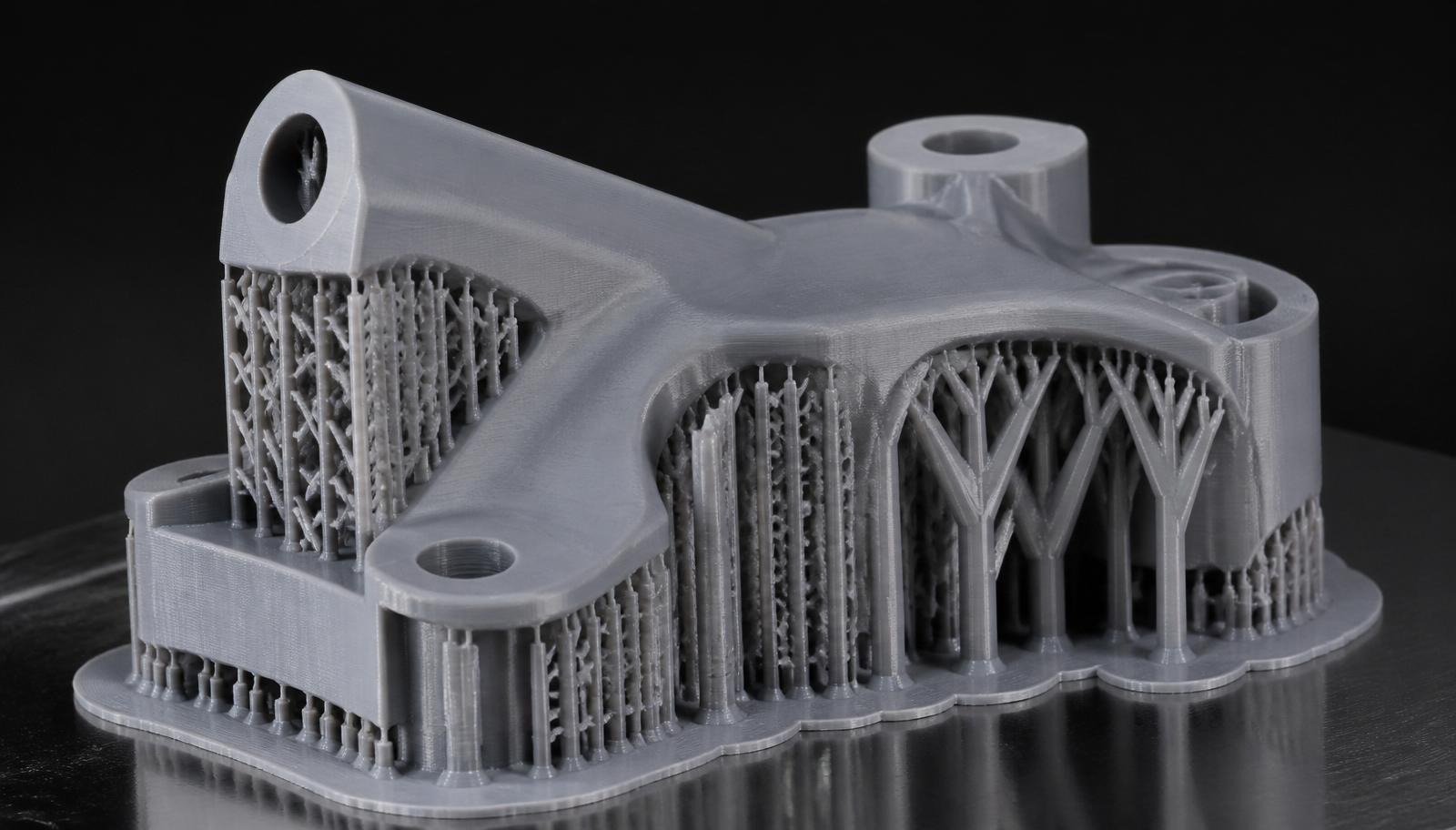
In FDM and SLA 3D printing, any part of the model that hangs in the air at a steep angle needs something to rest on — otherwise the filament (or resin) has no surface underneath and the print collapses. That is what *support structures* are for. Picking the right type of support dramatically affects surface quality, material usage, print time and how easy the supports are to remove.
This guide walks through every major support type modern slicers offer (Cura, PrusaSlicer, OrcaSlicer, Bambu Studio) and when to use each.
When are supports even needed
Rule of thumb: FDM printers handle overhangs up to about 45° from vertical without help. Anything steeper (60°, 70° or a horizontal overhang) usually needs a support. The same applies to:
- bridges longer than 5–10 mm
- larger holes in a horizontal plane
- first layers that hang over empty space (e.g. logos on the bottom face)
- fine details that could fall or warp during printing
If a model can be reoriented or lightly redesigned (a chamfer instead of a flat overhang), supports can often be avoided entirely — that is always the first thing we look at before enabling automatic support generation.
Grid
The classic, oldest support type. The slicer generates a rectangular mesh of vertical columns tied together with horizontal bars.
Advantages: extremely stable, does not collapse mid-print, holds heavy overhangs and large flat areas reliably. For large industrial parts and long ABS or ASA prints, it is often the safest choice.
Disadvantages: heavy material use, leaves pronounced marks on the bottom of the model and can be painful to remove — especially inside narrow cavities where the bars interlock with the model.
When to use: large, simple geometries and heavy prints where support stability is the deciding factor.
Normal / linear
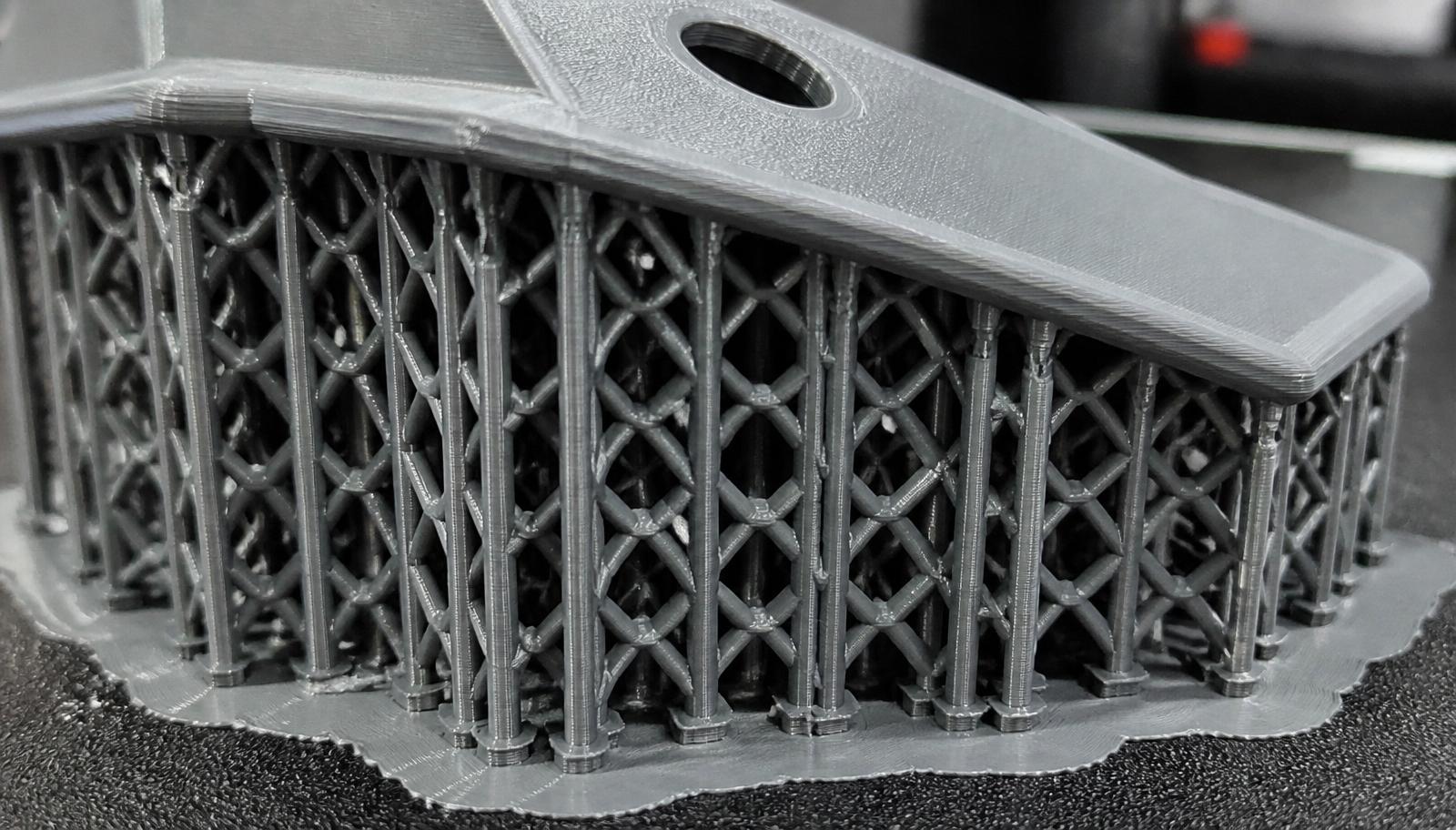
Similar to grid, but the slicer generates only parallel lines instead of a full mesh. Less material, slightly less stable.
Advantages: faster to print and uses less filament than a full grid.
Disadvantages: tall pillars can shift or crack during the print.
When to use: medium-sized parts, standard FDM printing in PLA or PETG.
Snug
Snug supports follow the outline of the overhang as tightly as possible — like a shell around the part. Introduced by PrusaSlicer, now standard in OrcaSlicer and Bambu Studio.
Advantages: much less material than grid, cleaner surface underneath because supports do not fill the entire bounding box, only where they are actually needed.
Disadvantages: on very tall thin support zones, less stable than grid.
When to use: almost every functional FDM print in PLA, PETG or ASA when you want speed, cleanliness and reasonable material use. Our default choice for most jobs.
Tree supports (classic tree)
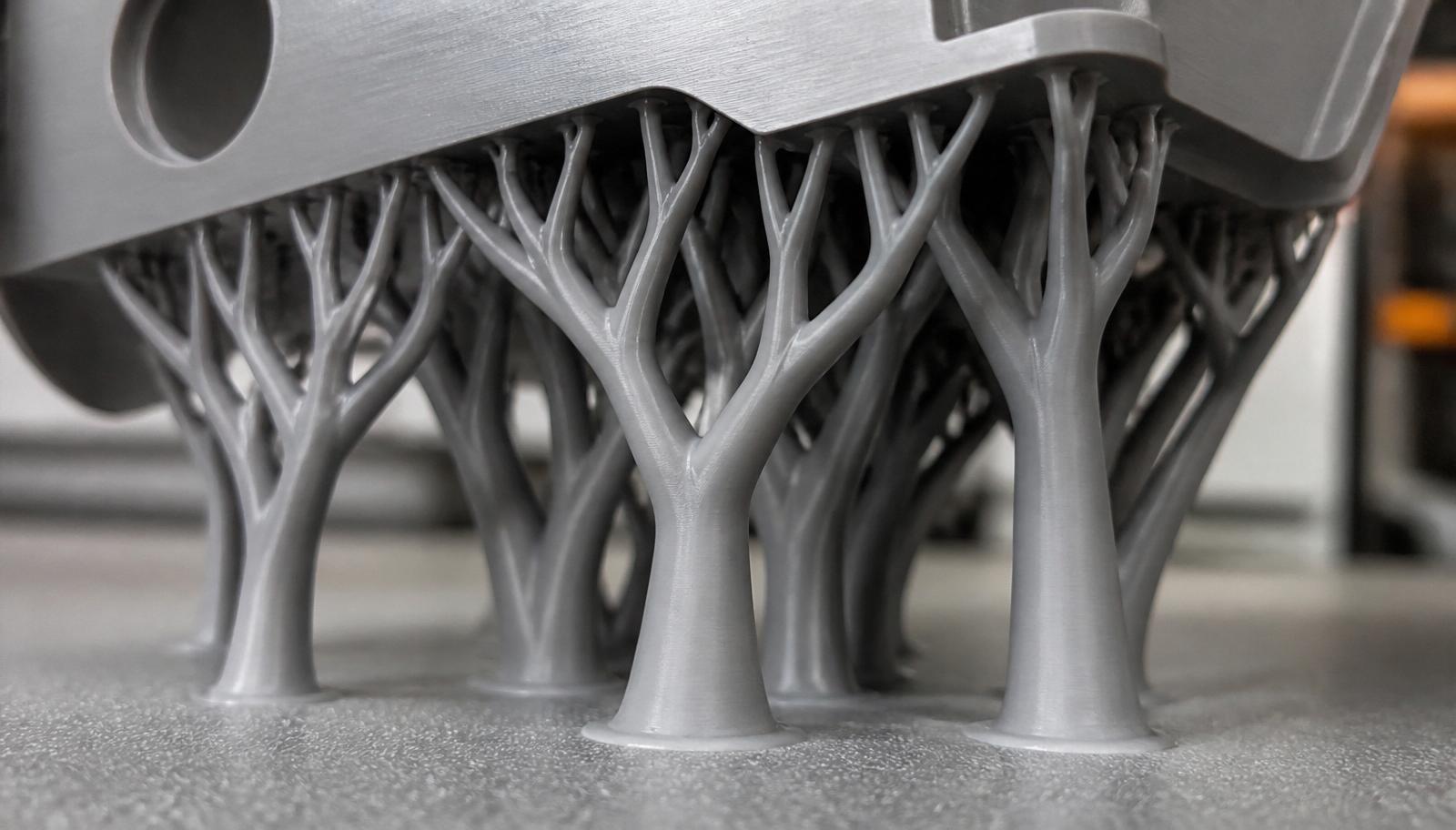
Instead of vertical columns underneath the entire overhang, the slicer generates "trees" — a trunk with branches spreading toward the areas that need to be held up.
Advantages: touch the model at very few points, leave a very clean bottom surface, significantly less material than grid, faster to print.
Disadvantages: for very large and heavy overhangs they may not provide enough support.
When to use: figurines, organic geometries, models with many overhangs and details where you do not want to damage the surface.
Organic tree (tree slim / hybrid)
An advanced version of tree supports used in OrcaSlicer, Bambu Studio and newer PrusaSlicer versions. Branches spread more naturally, are thicker at the base and thinner at the tip, can branch multiple times and distribute load optimally.
Advantages: the best trade-off of clean surface, material use and print speed. Extremely easy to remove — often peel off by hand in a single piece.
Disadvantages: for very complex, heavy overhangs the slicer sometimes generates bulky trees; always check the preview.
When to use: figurines, prototypes, technical parts with many critical holes and overhangs, presentation models where the bottom surface must look good.
Lightning supports (Cura)
Cura introduced a "lightning" algorithm that generates supports only directly beneath the points on the model that need them. No dense fill, just thin spikes growing toward the model.
Advantages: minimal material and time.
Disadvantages: minimal stability, not suitable for large or heavy overhangs.
When to use: quick prototypes, concept models, parts where mechanical properties do not matter.
Zig-zag / concentric / cross patterns
Different fill patterns for the support body — zig-zag is the fastest to print and easiest to remove, concentric leaves the cleanest mark, cross is the most stable but hardest to remove.
When to use: zig-zag is the default in 90% of cases; concentric for small, precise details; cross for heavy parts in ABS, ASA or PA6-CF.
Support blockers and painted supports
Modern slicers let you manually paint where you want supports and where you do not. Instead of relying on automatic angle thresholds, you can:
- remove supports from areas the model can bridge on its own
- add them manually where the algorithm missed
- place support blocker volumes that locally disable generation
This is the fastest way to a clean print with minimum material use — we use it on every industrial job.
Support interface (breakaway top layer)
The support interface is a special top layer of the support that is denser or printed in a different material (e.g. PVA, HIPS or breakaway filament in a dual-extruder setup). It guarantees a perfectly smooth bottom surface on the model.
When to use: when the bottom of the model is visible or functional (mating faces, sealing surfaces, aesthetics). Material and print time go up, but final quality is markedly better.
SLA supports — briefly
On SLA/DLP resin printers supports have a different geometry — thin, tapered "pillars" touching the model at a small contact point. They are critical for quality — the model is tilted at an angle so supports land on a non-visible face.
Types (light / medium / heavy) differ in contact-tip thickness and shaft diameter. Light for detailed models (figurines, jewelry), heavy for functional SLA parts or heavy geometries.
How we choose supports at 3D4U
- Most functional PLA/PETG/ASA prints: snug or organic tree, zig-zag pattern, 15% density.
- Aesthetic models with a visible bottom face: organic tree + support interface, 3–4 extra top layers.
- Large industrial ASA/PA6-CF parts with heavy overhangs: grid or normal, higher density, wider footprint.
- Figurines, jewelry, small details: organic tree with very thin contact tips.
- Above all — redesigning or reorienting the model to avoid supports entirely is always the first step.
If you have a part to print and are not sure which strategy is optimal — send us the STL, the intended orientation and the use case, and we will recommend the support type, orientation and infill.